
For freelancers and small studios in Italy
Your studio in order, from the quote to the invoice
Clients, projects, hours, quotes and invoices. With a portal where your client sees the progress for themselves — and one for the people working with you.
The free plan doesn't expire and doesn't ask for a card.
What you do with it
One tool that covers the whole day
From the first quote to the money in the bank, through the hours you actually put in. Without jumping between spreadsheets.
Clients and projects
Records with validated VAT and tax codes, projects with milestones, tasks and notes. Everything attached to the right client, no folder hunting.
Hours that turn into invoices
Timer or manual entry, prepaid hour packs and pay-as-you-go. Logged hours reach the invoice without being retyped, and the client report comes out on your letterhead.
Quotes and invoices
An online quote your client accepts with a code sent by email — and the project starts from there. Invoices flat, by hours or by pack, with the status following the payments.
Flat-rate tax, kept in sight
Substitute tax, contributions and the exit threshold computed on what you actually collected, with a warning as you get close. No tax rate hard-coded: they change.
A portal for the client
Your client signs in and sees progress, documents, invoices and messages — only what you decide. Fewer status emails, fewer phone calls.
Collaborators, not partners
People working with you see their projects and their hours, not your margins or your clients. Permissions are genuinely separated, not hidden on screen.
Connected to what you use
Google Drive for documents, Calendar for deadlines, Slack for alerts, GitHub and Railway for the projects that live online.
AI where it helps
Quote drafts, receipts read from a photo, analysis of your own numbers, and an assistant that answers questions about your work.
How it looks
These are real screens, not drawings
Sample data, real interface: this is what you see on day one.
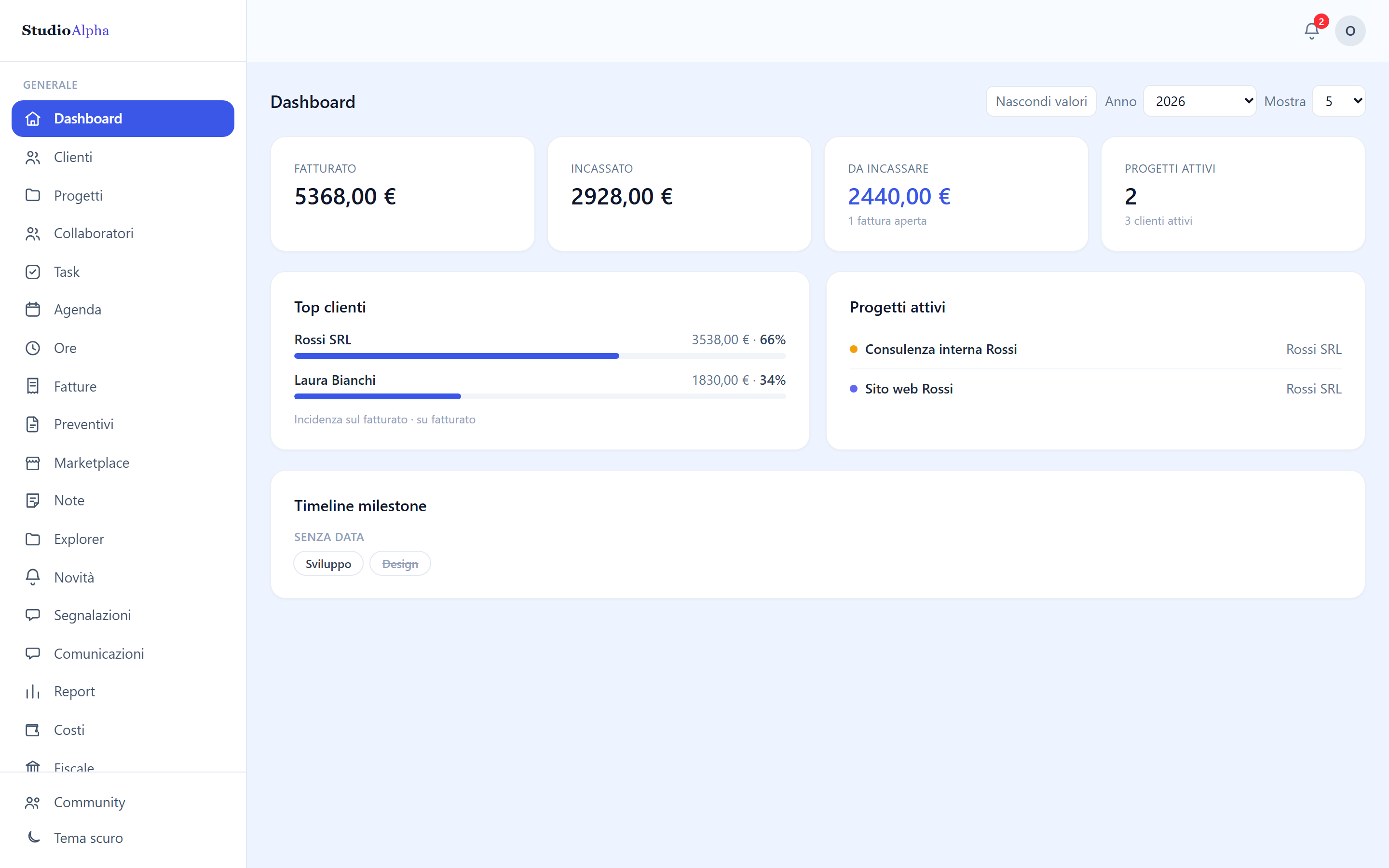
Everything at a glance
Billed, collected, outstanding and active projects. The figures hide with one click when you're not alone at the screen.
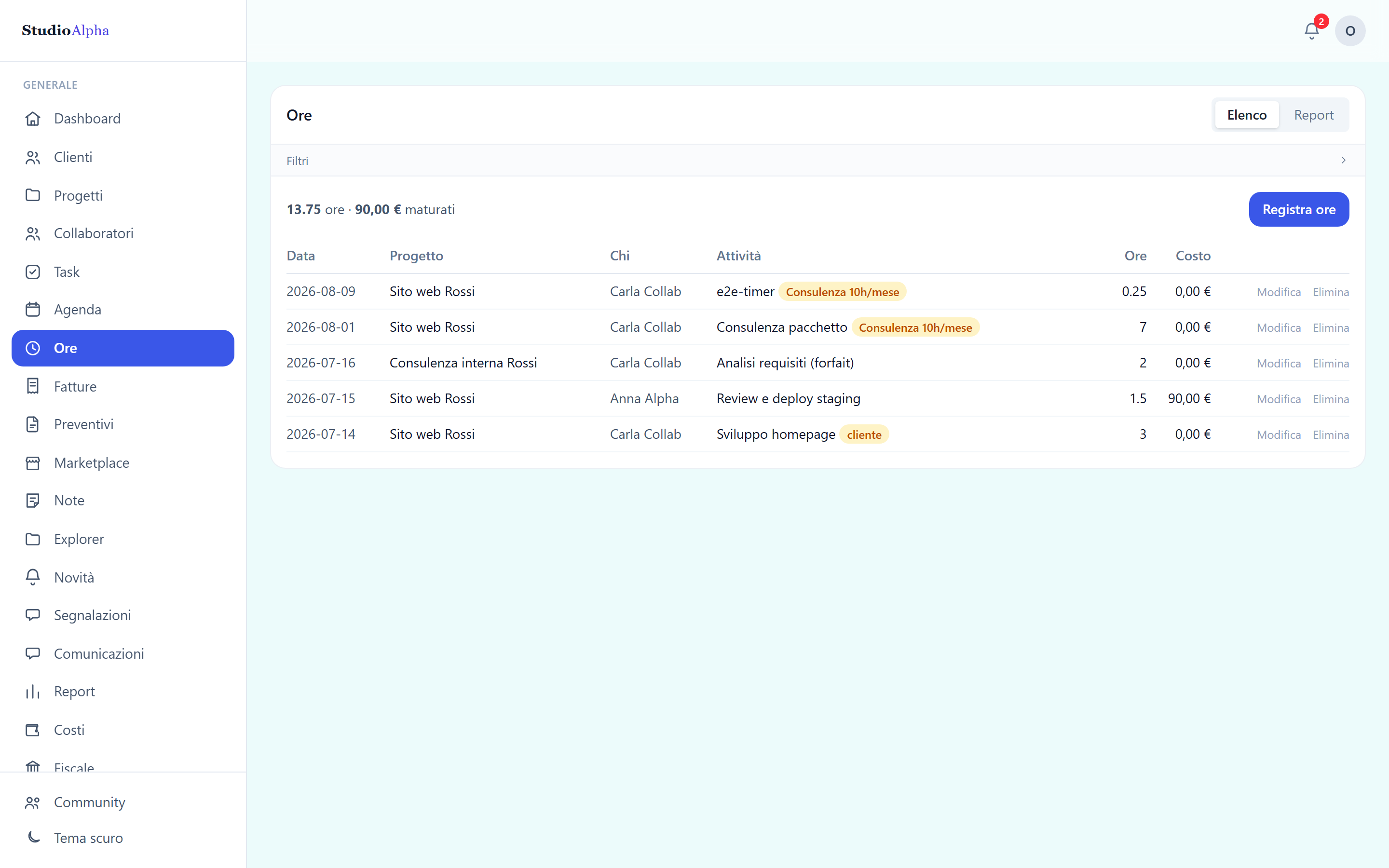
The hours, and what they earned
Filter by client, project, person and period. The report comes out as CSV, as a PDF on your letterhead, or straight to Drive.
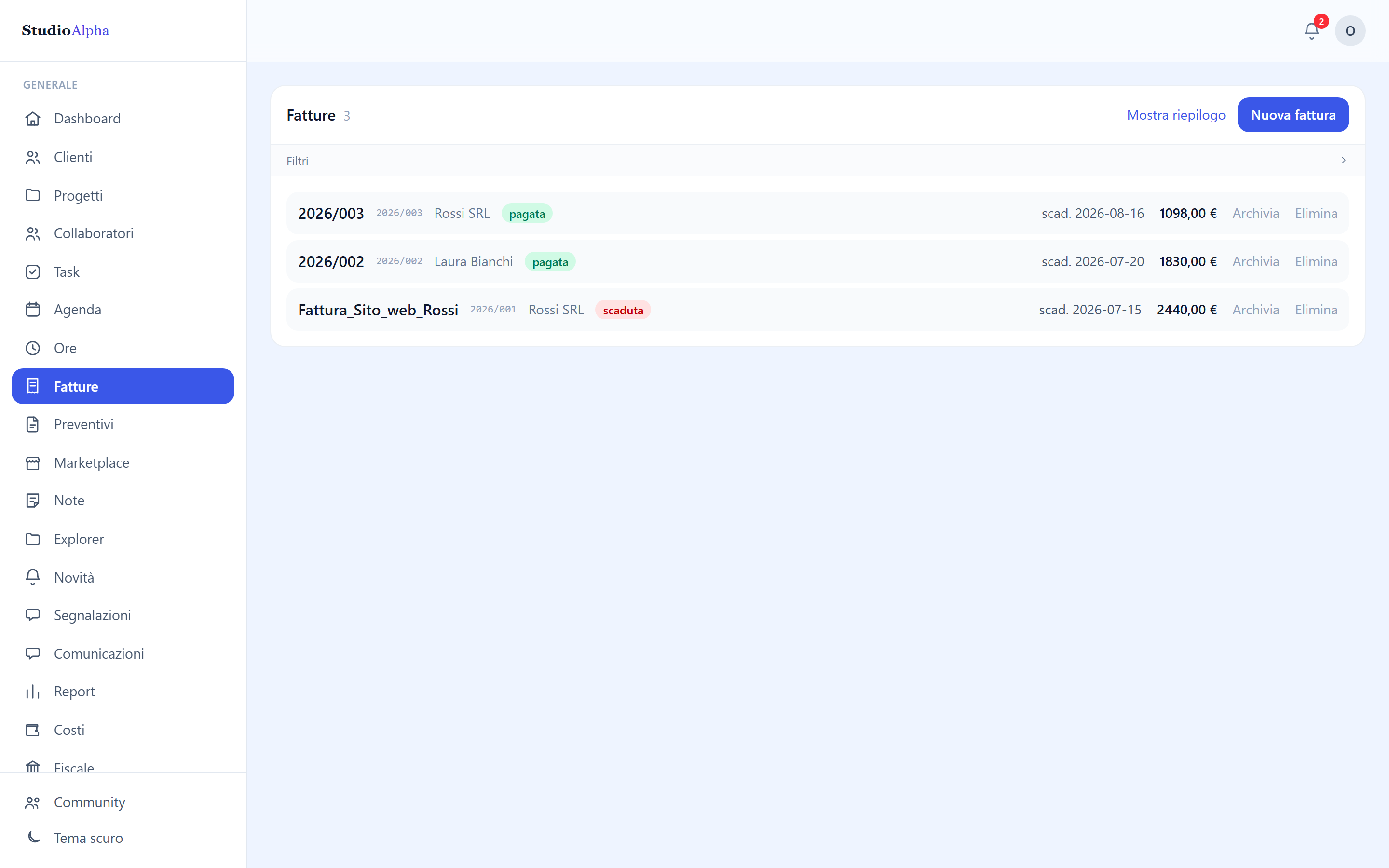
Invoices that keep themselves current
The status comes from the payments you record, not from a dropdown: issued, partial, paid, overdue.
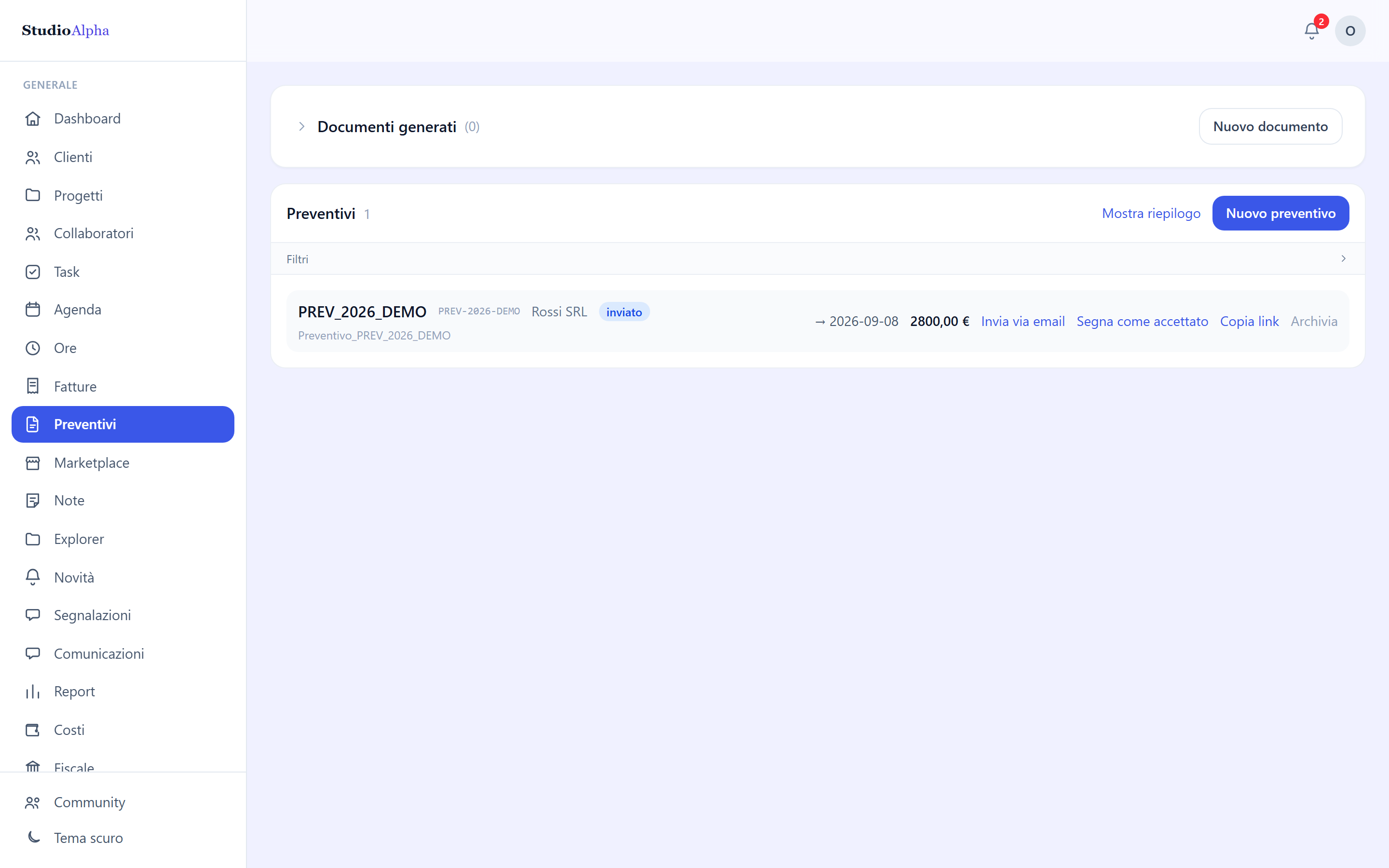
Quotes accepted online
The client opens the link, gets a code by email and accepts. The project and the deposit invoice appear on their own.
New
Your business, inside the assistant you already use
Connect the assistant with one address and ask, in plain language, what you would ask a partner: who has not paid yet, who never replied to a quote, how many hours are left on a package.
Connected in a minute
Create a key in Gestio and paste the address into your assistant's connectors. Nothing to install, nothing to configure.
Sixty-nine things it can do
Reads overdue invoices, hours, packages, quotes opened and unopened, deadlines and expenses. Logs hours, expenses, tasks, milestones and appointments, and fills in a quote document. Prepares invoices and documents on your letterhead.
With your permissions, and no further
It never touches the database: it goes through the same doors as the app, and everything it writes carries your name. It does not email your clients, does not delete anything, and asks for confirmation before issuing an invoice.
You bring the assistant: Gestio gives it the key to your data, and you revoke it whenever you like.
How the assistant worksYou're not the only one using it
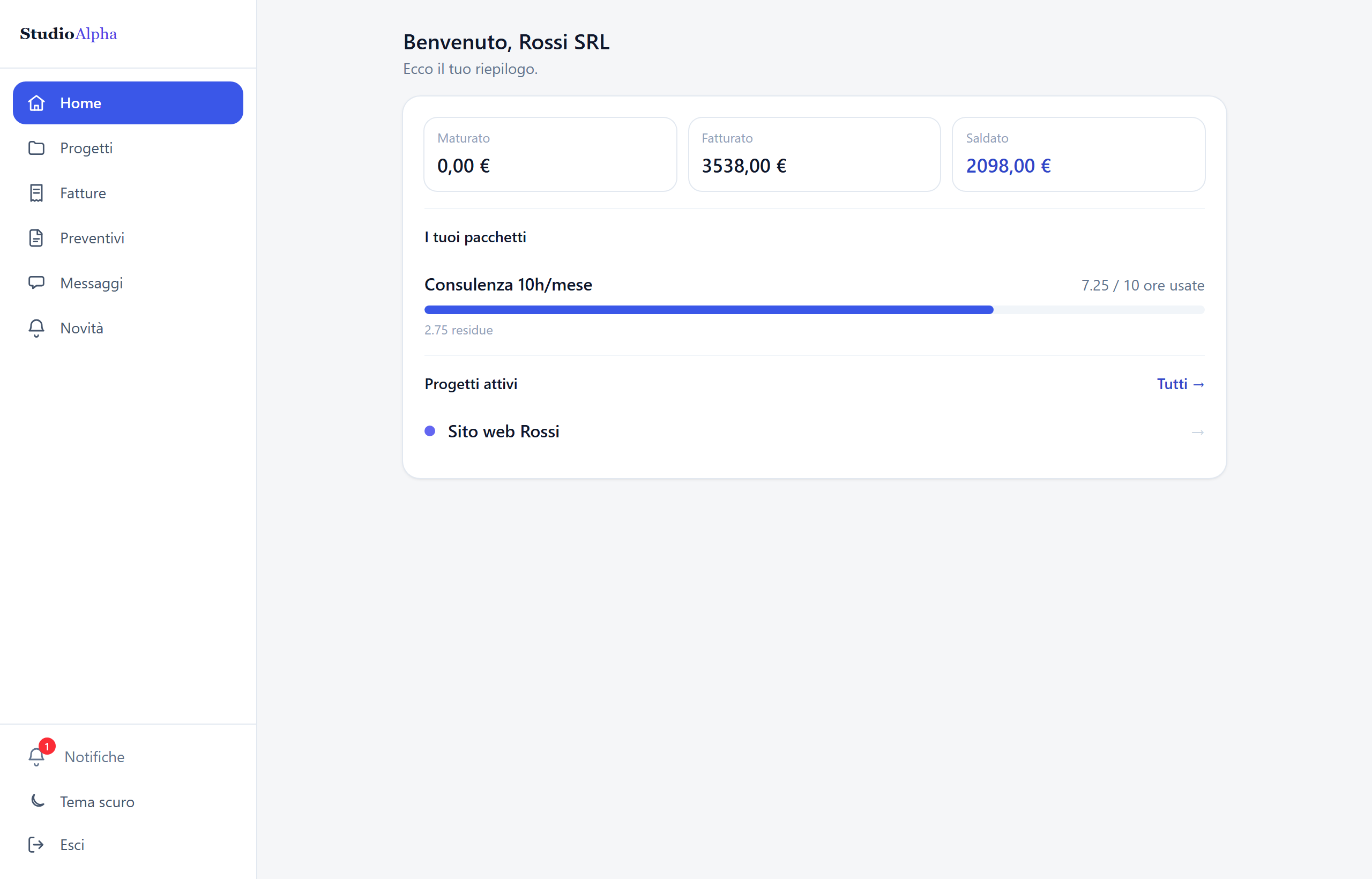
Two more doors: one for the client, one for collaborators
Same archive, three points of view. Each one sees theirs, and nothing else.
Client portal
Your client signs in and finds work in progress, milestones done and pending, documents, invoices, quotes to accept and a chat with you. Links to the live work — the app, the staging area — sit there with their status.What they see is your call, item by item. Rates and margins they never see.
Collaborator portal
People working with you sign in at the same address as the app and see only the projects you assigned: their tasks, their hours, their calendar, their own agreement. No clients, no invoices, no margins.Exceptions are switched on one at a time, when someone needs to coordinate.
Why this one
The choices behind it
Built for the Italian flat-rate regime
Not an international tool translated: revenue threshold, profitability coefficient, substitute tax and deadlines are the centre of it, not an added module.
Your data stays yours
Full export whenever you want, account deletion without asking anyone's permission. No ransom on your own archives.
The portal is included, not an add-on
Even on the free plan your client gets their own access. It's the thing that saves the most time, and putting it behind a high plan would only have been a way to sell it.
Multi-organisation from day one
Several businesses, several teams, the same people. One organisation's data is invisible from another: that's the rule the database is built on, not an interface filter.
Pricing
Start free, grow when you need to
The free plan isn't a timed trial: if your work fits inside it, it stays yours.
Free
To actually start, not to try for three days.
Free
forever, not for 14 days
- 3 clients, 5 projects, 2 people
- Quotes, invoices and payments
- Hours, tasks and calendar
- Client portal included
- AI assistant you can connect
- —Gestio branding in emails and sign-in
- —No external integrations
Pro
The working plan: your own brand and the tools you use.
19 €
per month, VAT excluded · or €190 a year
- 50 clients, 200 projects, 10 people
- Your logo in emails and sign-in screens
- Google Drive, Calendar, Slack, GitHub, Railway
- AI drafts, receipts from photos, analysis of your numbers
- Tax section and flat-rate deadlines
- Requests marketplace
Business
No limits, and no name of ours above yours.
29 €
per month, VAT excluded · or €290 a year
- Unlimited clients, projects and people
- Every integration
- Emails from your own address, from your own mailbox
- "Service provided by Gestio" removed
- Editable DOCX of your documents
- External collaborators with separate permissions
Try it with a real client, today
Create the organisation, add a client and send them portal access. It takes five minutes, and you'll know straight away if it's for you.