
Portals
Same archive, three points of view that never touch
You see everything. The client sees their work. Collaborators see their projects. It isn't an interface hiding some rows: they're different permissions over the same data.
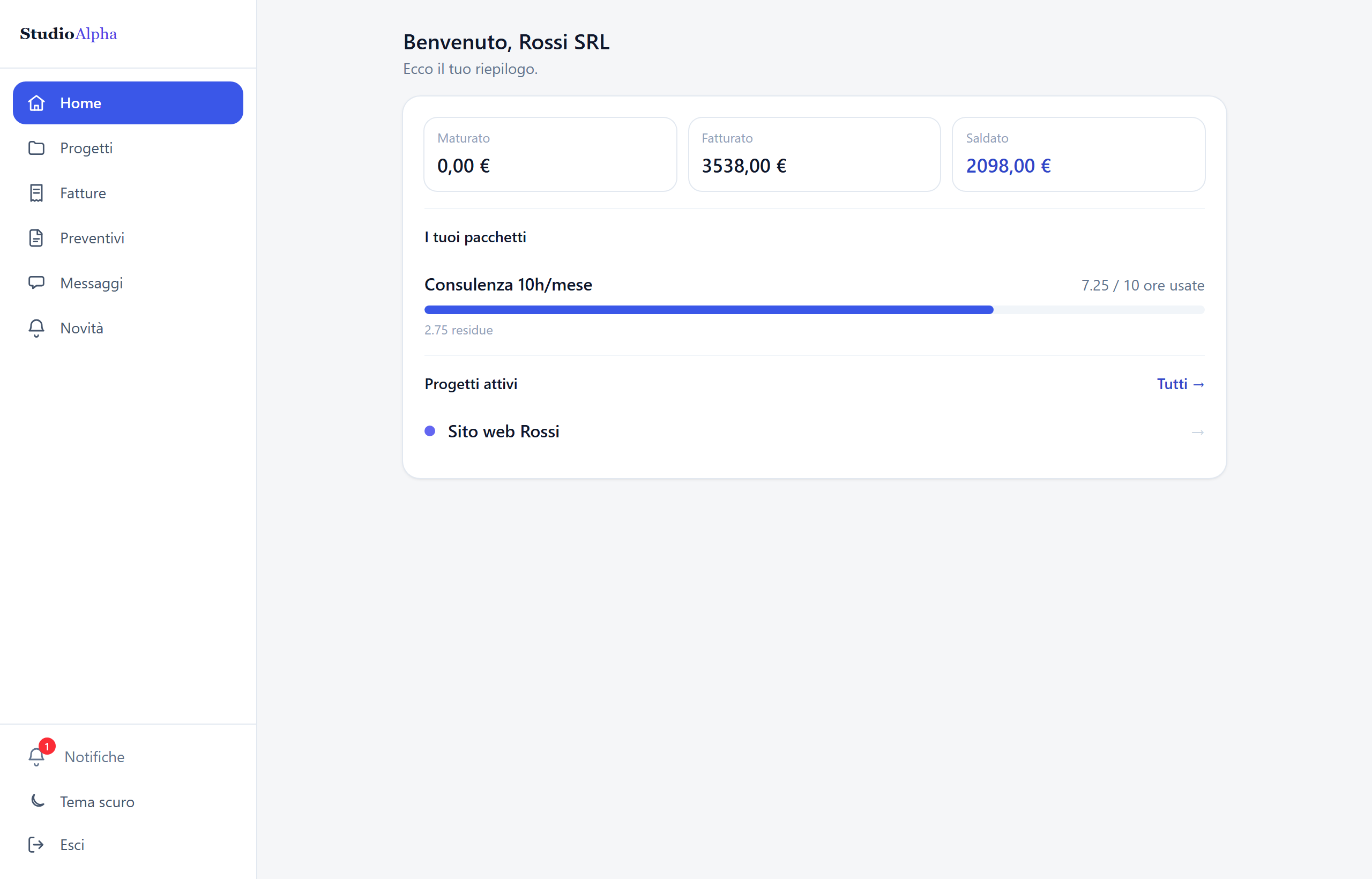
The client's portal
An access of their own, where they find the answers they'd otherwise email you for. It's included in every plan, the free one too.
- Work in progress, milestones done and pending
- Shared documents and files, downloadable
- Invoices with their status and the PDF
- Quotes to read and accept online, with a code by email
- A direct chat with you, with a notification when you reply
- The hour pack balance, without having to ask
- Links to the live work — the app, the staging area — with their status
- What they see is your call, item by item: rates and margins never
The collaborator's portal
People working with you sign in at the same address as the app, but the app they see is a different one.
- Only the projects you assigned them
- Their tasks and their hours, not other people's
- Their calendar and their deadlines
- Their own agreement: what they earn, not what you earn
- No clients, no invoices, no margins
- Exceptions switched on one at a time, when someone needs to coordinate
- When the collaboration ends the access closes without losing the history
Why the boundary holds
Three choices made at the start, which are the reason this page can be written at all.
The filter is in the database, not on the screen
Someone with no right to a piece of data doesn't even receive it: the request comes back empty. Hiding a column on screen isn't security, it's politeness.
Every role is tested, not assumed
Permissions have automated tests that try the same accesses with different roles across different organisations. It's the check that runs most often of all.
The default is the most closed one
A new item starts invisible to the client until you switch it on. The opposite is always discovered at the worst possible moment.
Try it with a real client, today
Create the organisation, add a client and send them portal access. It takes five minutes, and you'll know straight away if it's for you.